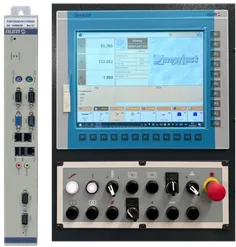
HS+ EVOLUTION KIT

SOFTWARE-ONLY UPDATE WITH NEW FEATURES
With the new HS+ (PLUS) line, Newlast has introduced new machine management software, opening up new features and all future developments.

For WINDOWS 10 operating systems

PROCESSING OF MULTIPLE MACHINE CYCLES
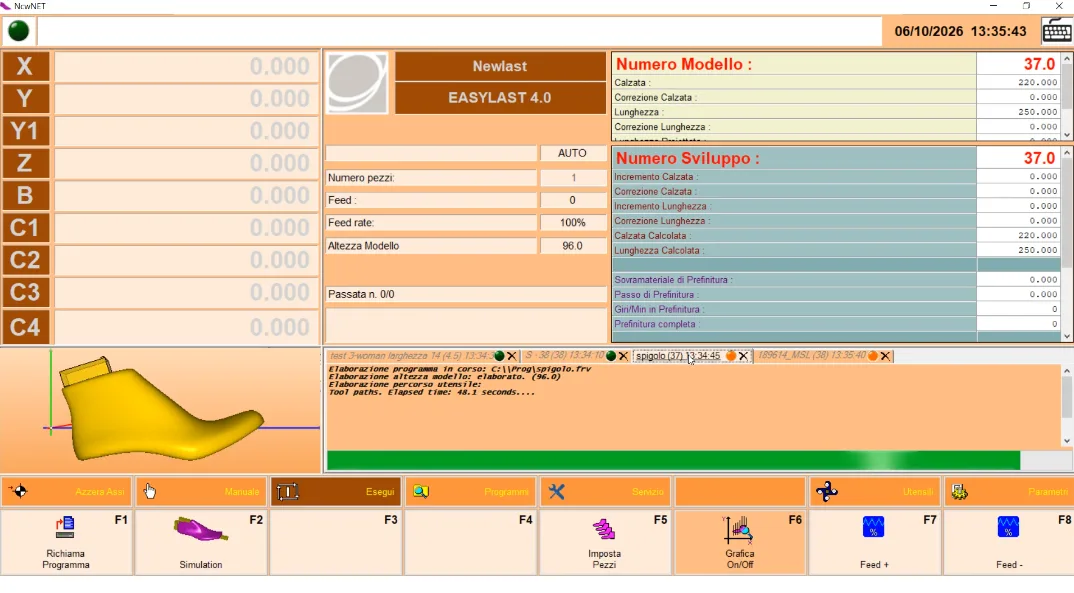
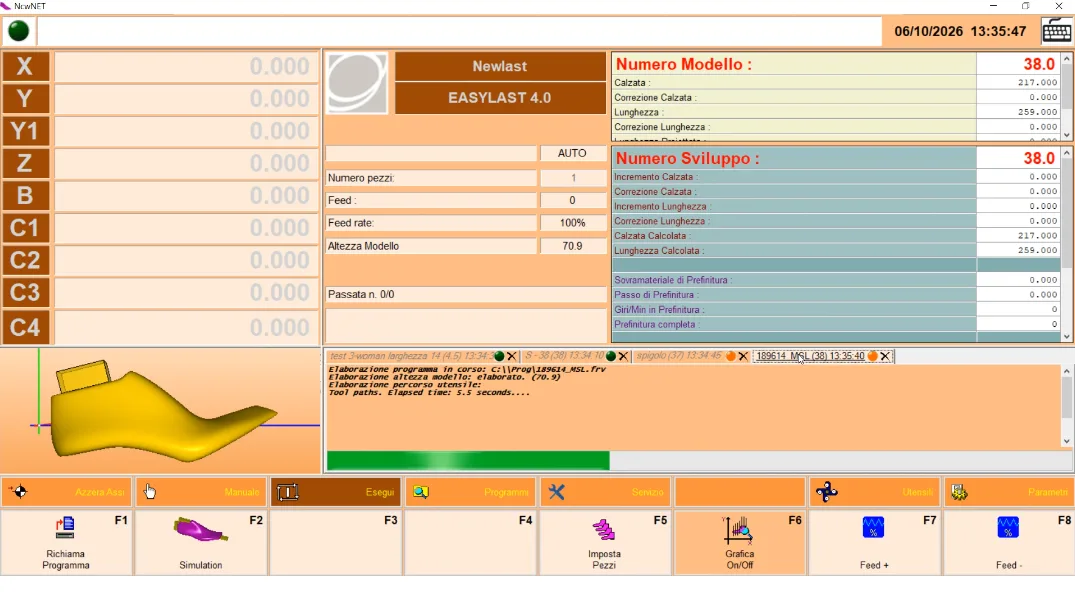
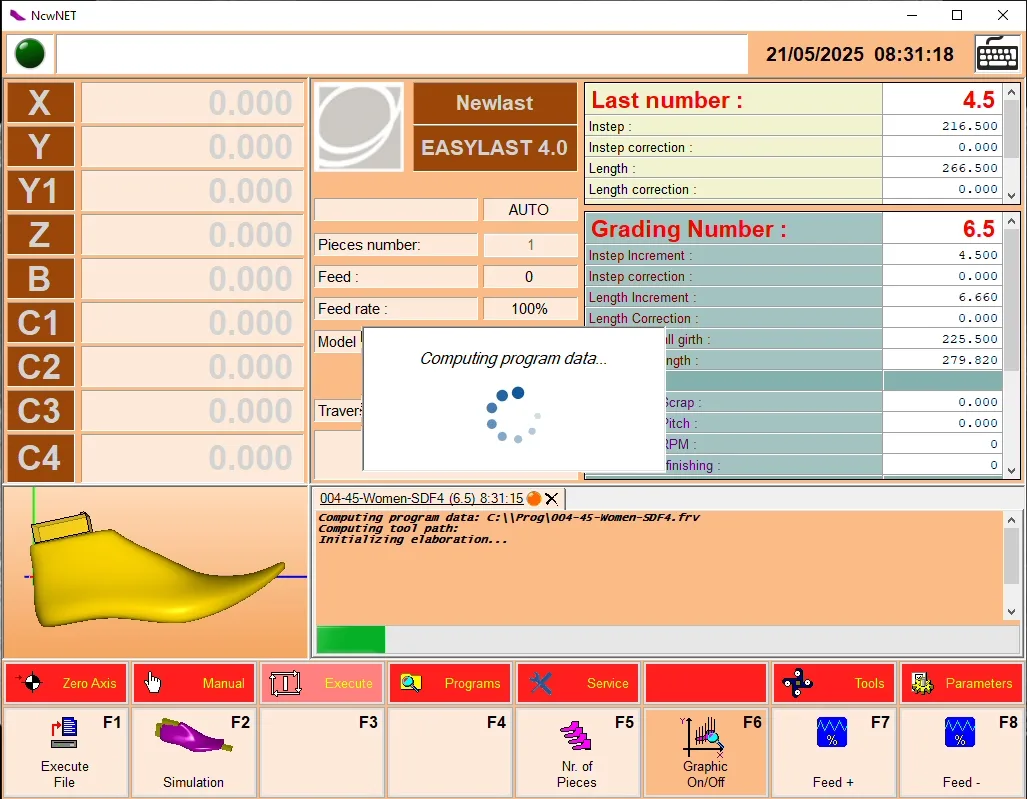
During the machine working cycle you can process new models and/or size gradings and add them to the working queue.
TOOL CONTACT POINT MANAGEMENT
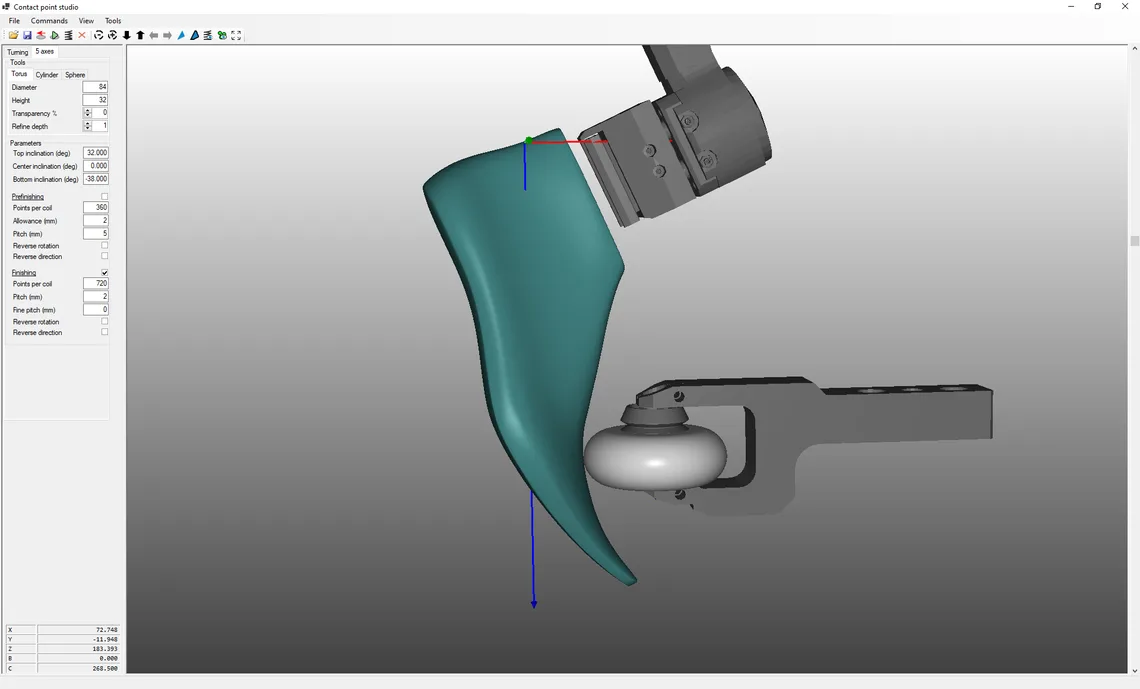
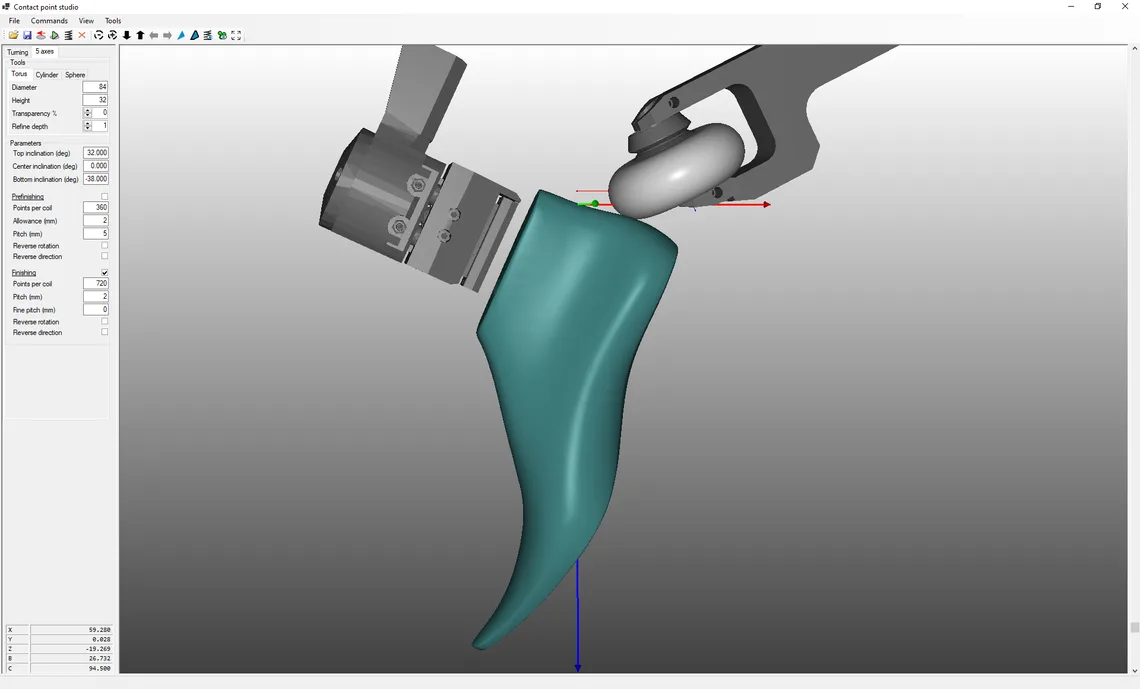
New integrated CAM with a much more precise Tool/Last Surface contact point calculation system and automatic tool speed management optimized according to the shape profile (L.P.O.C.), for ever higher turning quality.
The tool finishing pitch is automatically adjusted based on the profile, using the Last Profile Optimized Calculation function, for an increasingly higher turning quality.
The CAM will therefore adapt the path in the most critical areas such as the toe, neck, and heel.
COMPLETELY REWRITTEN MACHINE INTERFACE (HMI)
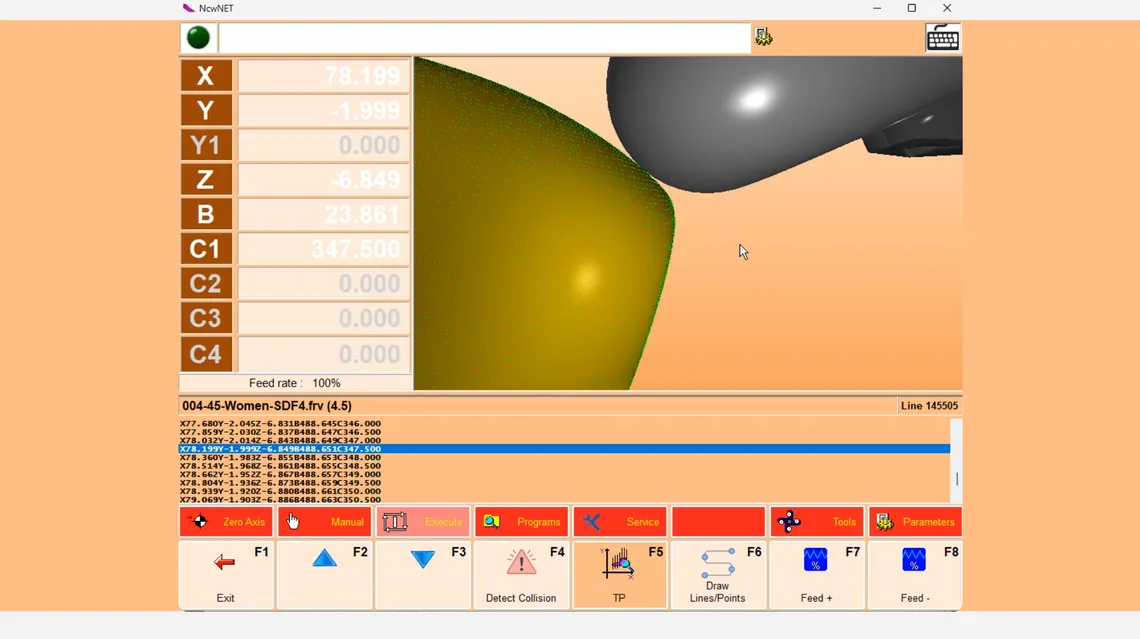
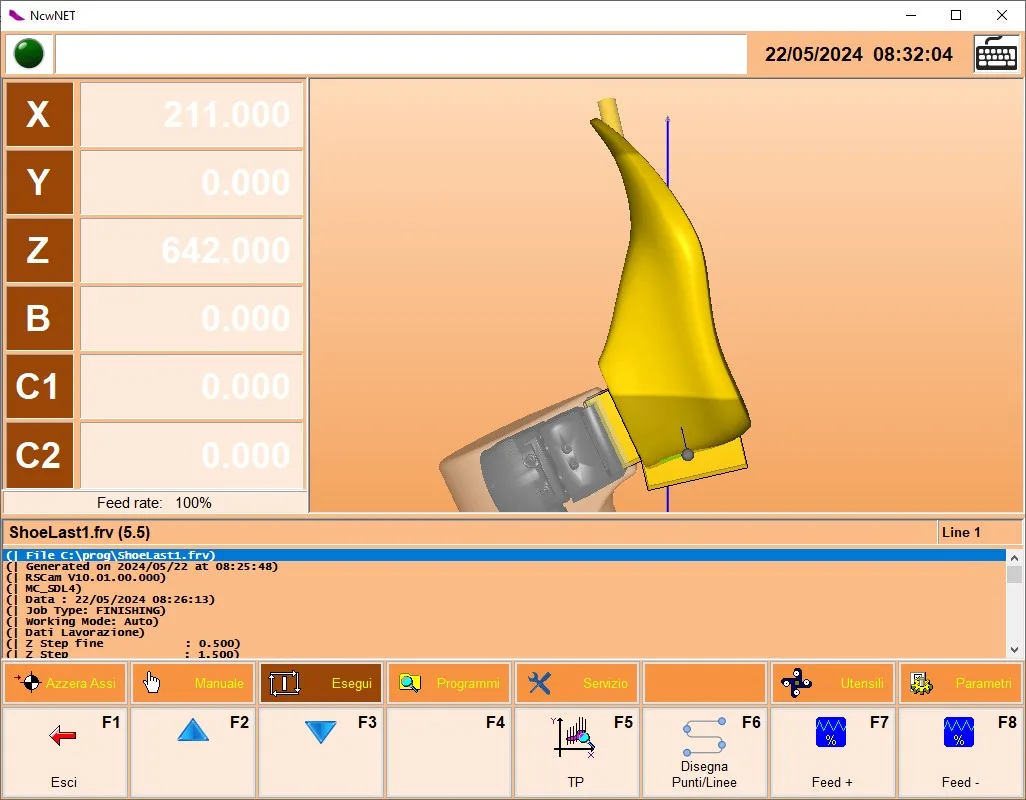
While keeping the familiar layout, the machine interface has been completely rewritten using the latest-generation programming languages, open to all future updates and technological developments.
FASTER CALCULATION SPEED
The processing time for toolpath calculation is drastically reduced;
depending on the machine's year of manufacture, it can be up to 10 times faster.
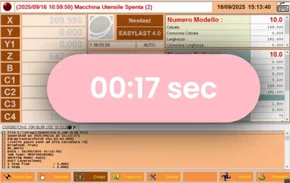
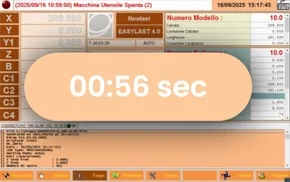
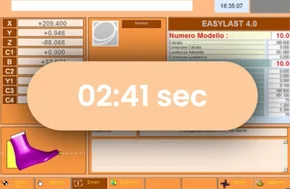
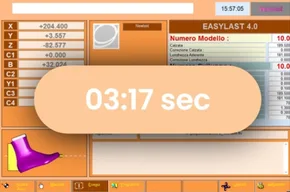
The tool path calculation is much faster. Here we compare it across three different operating systems and hardware.
With the new HS+ Evolution software, only on Windows 10, by activating the new CAM, the calculation finishes in a few seconds, while on older operating systems and hardware, it takes minutes.
Compared to older operating systems and hardware, with the new CAM software, the time can be reduced by up to 10 times.
PREDICTIVE MAINTENANCE AND DIAGNOSTICS
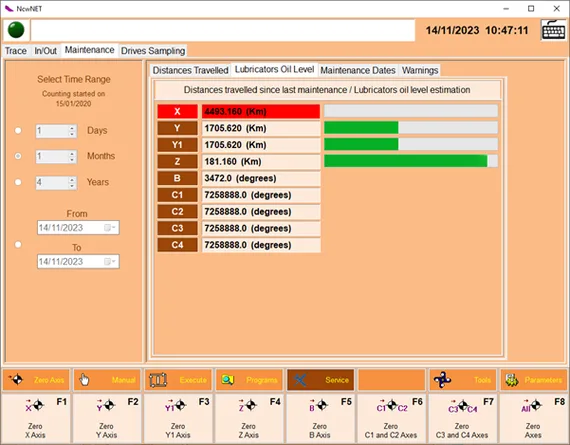
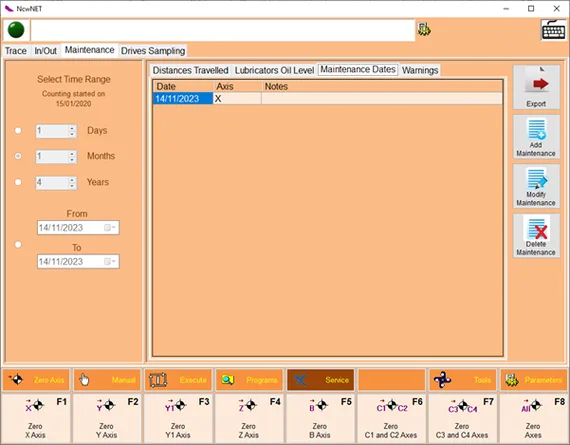
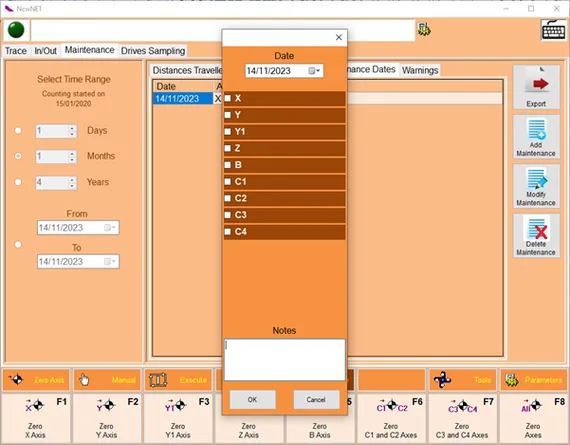
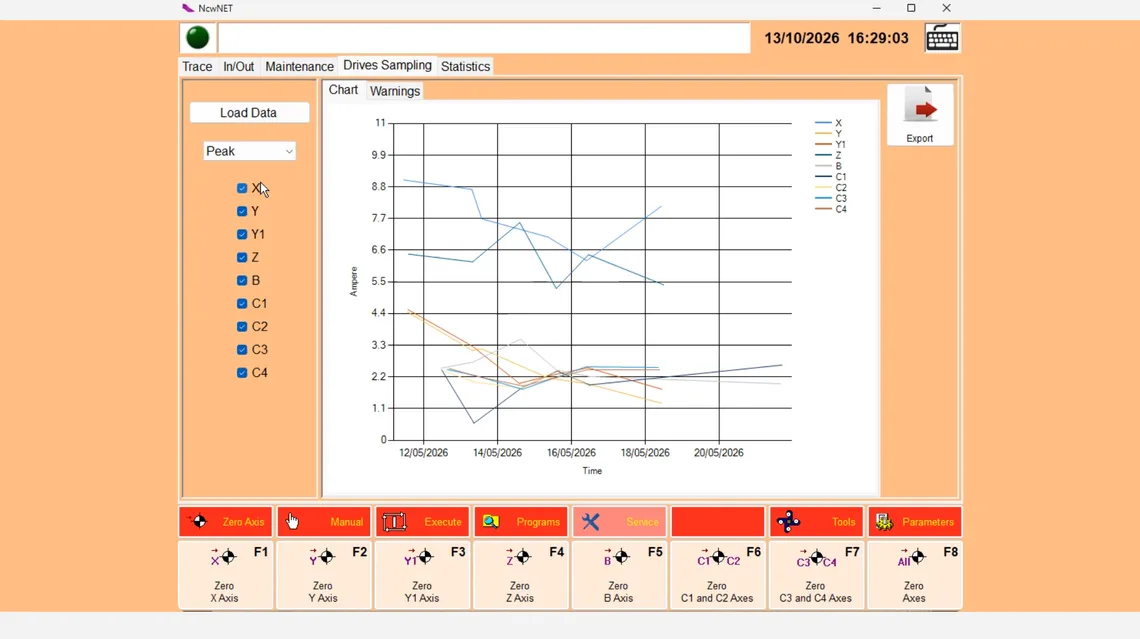
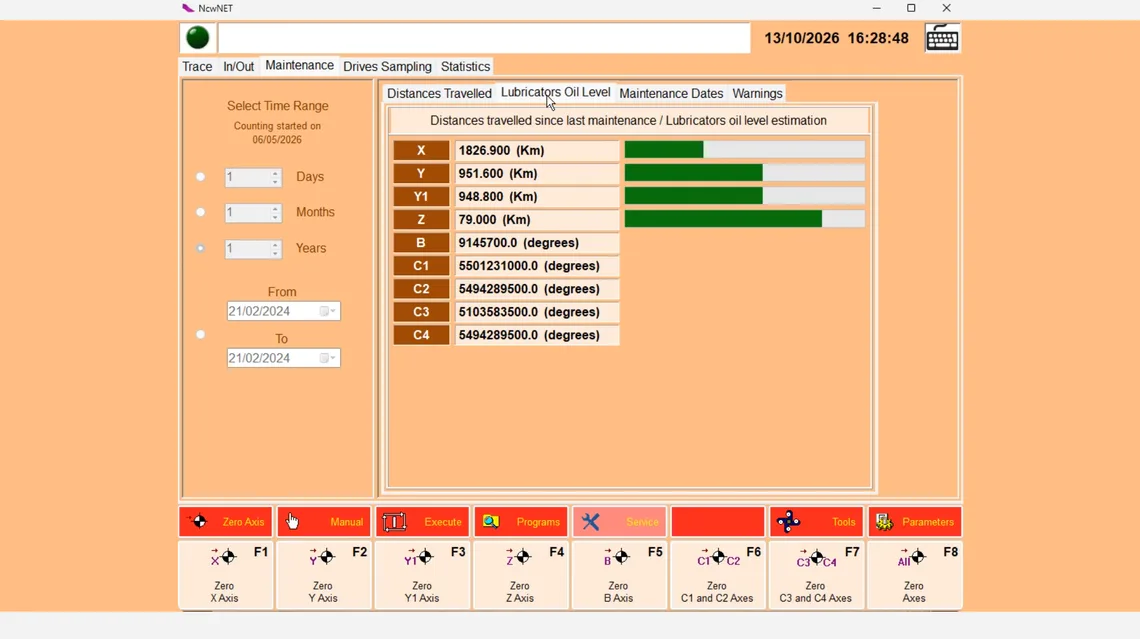
Within the new HMI, we now have complete Diagnostics and Predictive Maintenance for optimal machinery performance.
A machinery maintenance management area with automatic warnings has been created.
For example, here we see the distances covered by the axes and the consumption of the guide lubrication cartridge, alerting the operator when replacement is necessary.
It is also possible to monitor the trend of the absorbed current. If it exceeds the standard value, it automatically reports the anomaly with a visual message.
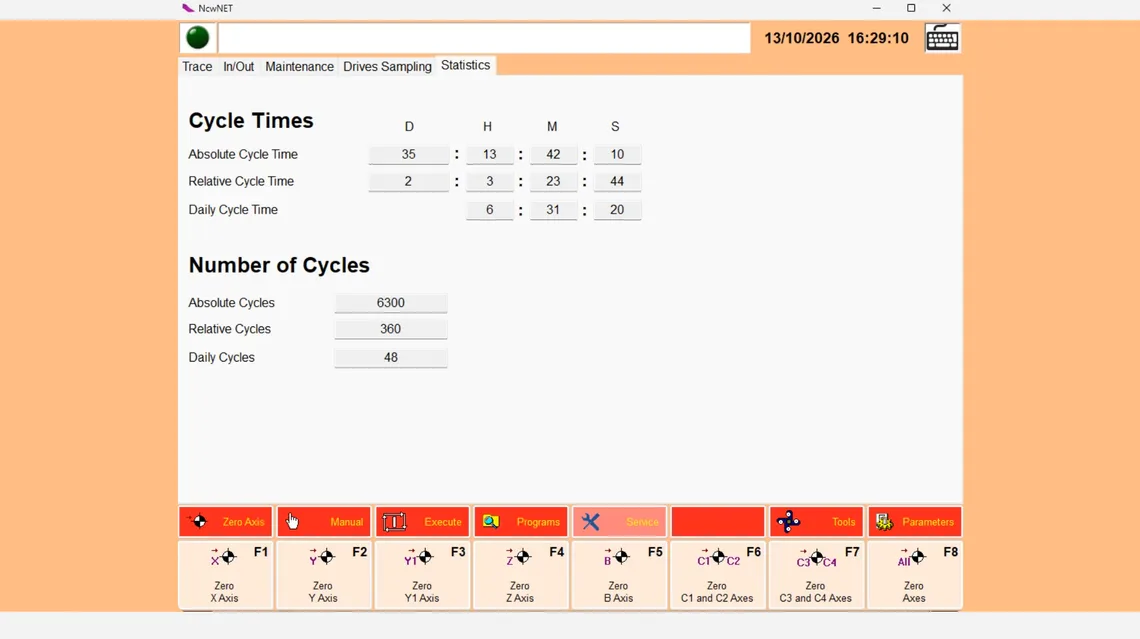
Statistical data on machine usage are also saved, such as the number of cycles performed and machine operating time in a day.
MANUAL OR AUTOMATIC GIRTH CALCULATION
A new manual fit entry mode, which allows you to define the fit in the area where you actually want to increase the model.
The manual fit is defined by inserting 3 markers. Once the FRV file is saved, the fit set is kept inside it and used by NL machines that read this new data.
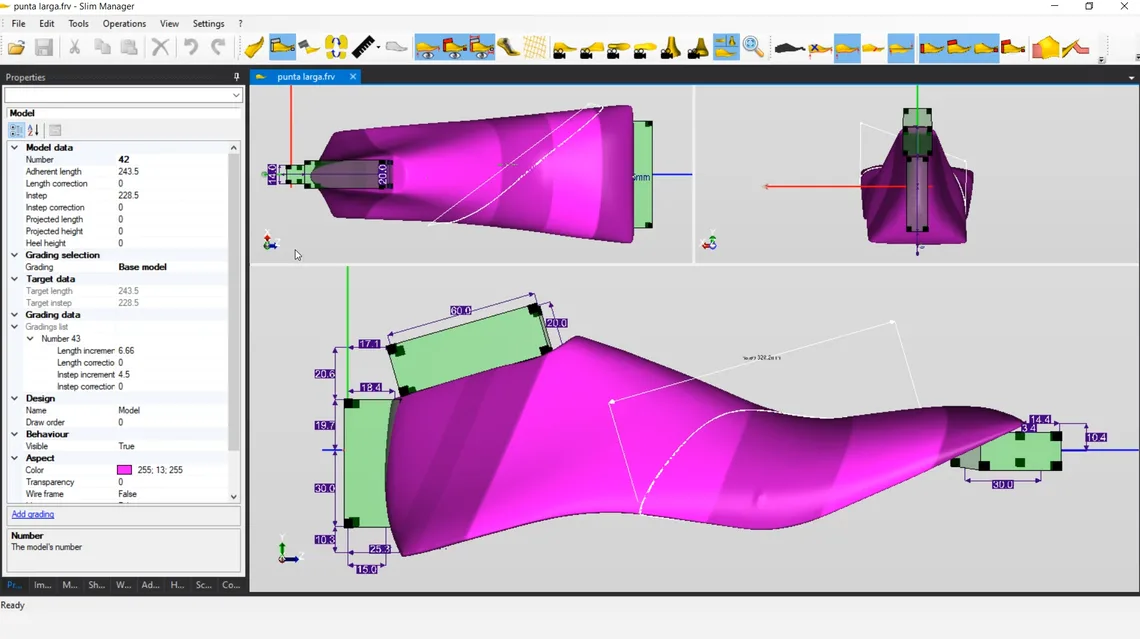
AUTOMATIC GIRTH (on particular model)
In exceptional cases, such as the image alongside, the automatic calculation may not position the fit correctly, thus compromising the grading of the model.
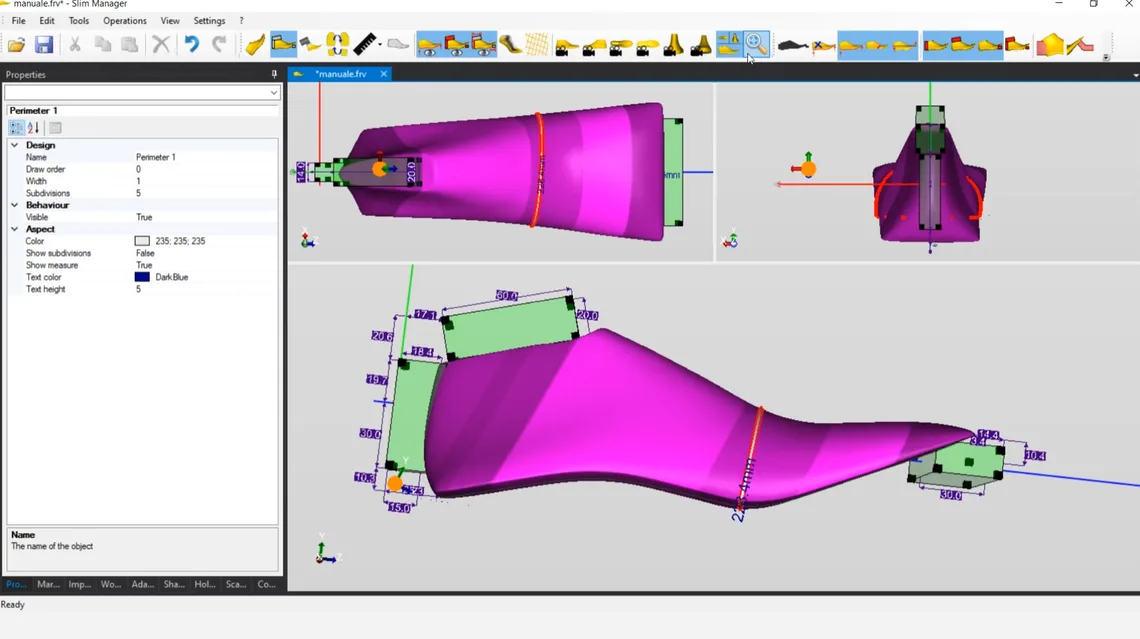
MANUAL GIRTH (on particular model)
Instead, for models where the fit is applied manually, it is kept and drawn in the graphics both on the model where it was applied and on the gradings, if the SLIM system is used for scaling.
SURFACE MANAGEMENT AND COLLISION PREVENTION (.FRV FILE)
.frv files now store both original and SLIM-modified surfaces. Easily switch between them in the 3D preview to adapt the tool path based on the type of machine and prevent tool holder collision.
SURFACE SELECTION IN THE 3D PREVIEW
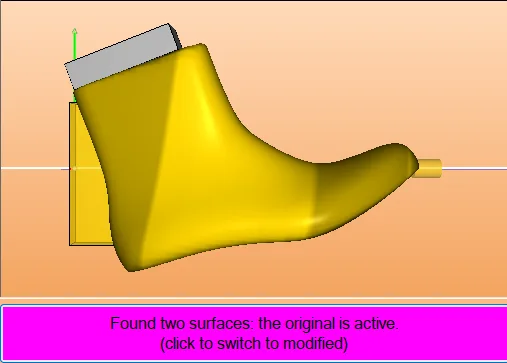
By default, the preview shows the Original Surface. Below the 3D model, the switch button is visible (highlighted in the bottom bar).
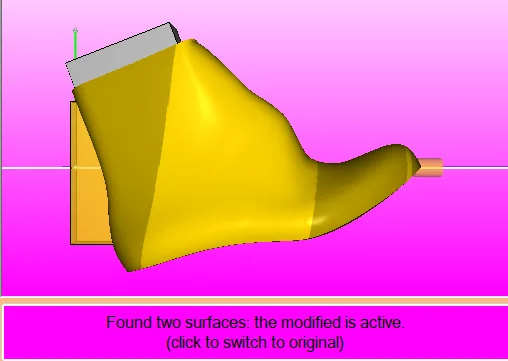
Clicking the button switches the preview to the Modified Surface. Clicking a second time returns to the original surface view.
COLLISION CONTROL
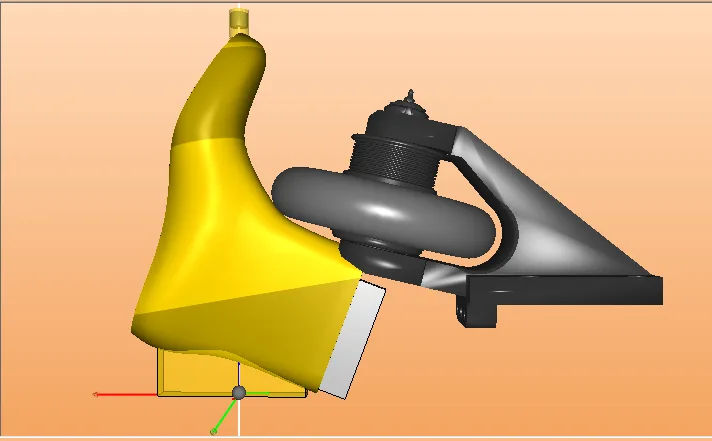
If you decide to machine the model using the Original Surface, the system detects an interference between the piece and the tool holder, clearly showing in 3D the point of the collision.
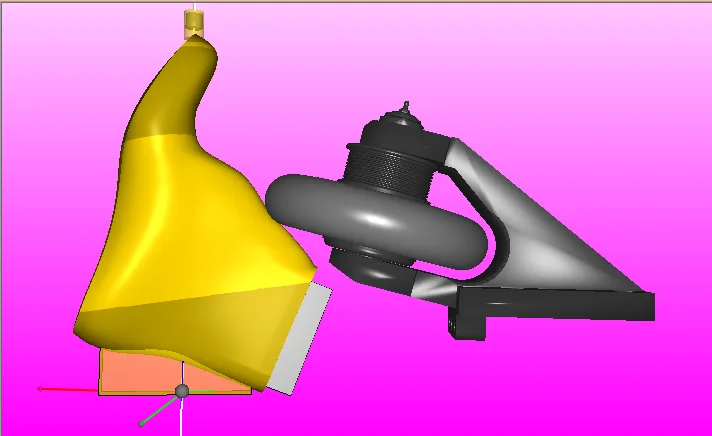
By activating the Modified Surface instead, the path is adapted in the critical areas, ensuring that the model no longer collides with the tool holder during machining.
MONITOR MACHINE DATA AND PRODUCTION
LOCALLY AND/OR REMOTELY (OPTIONAL)
Standard OPC-UA protocol communication: real-time analytics data acquisition, advanced diagnostics possibilities and remote access for automation/office control.
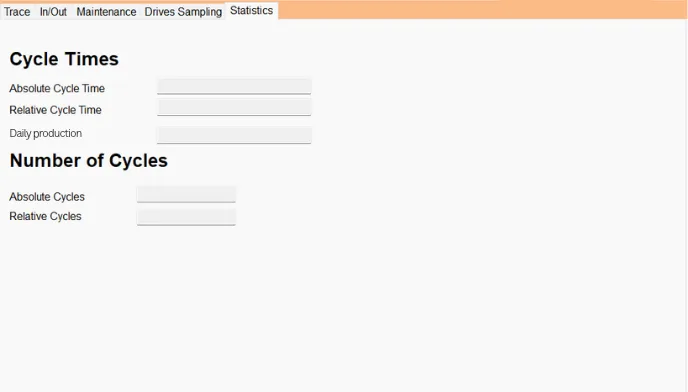
LOCAL
- ABSOLUTE CYCLE TIMESum of absolute cycle timesNEVER RESET
- RELATIVE CYCLE TIMESum of relative cycle timesRESET AT SHUTDOWN
- DAILY PRODUCTIONSum of machining since program startRESET AT SHUTDOWN
- ABSOLUTE CYCLESSum of cycles since commissioningNEVER RESET
- RELATIVE CYCLESCycles since the last machine restartRESET AT SHUTDOWN
If the optional OPC-UA feature is activated, the machine makes a series of working data available in real-time so that any management or custom program can connect via this protocol and read a series of provided data.
For example: files, model being processed, error messages, cycle time, machine working hours, machine downtime hours, daily working hours, and much more. But not only that, there is also the possibility of interacting with the machine itself by taking control of it.
REMOTE
- MACHINE ON, NOT IN EMERGENCY
- MACHINE CYCLE RUNNING
- MACHINE IN HOLD
- GUARD CLOSED INDICATION
- GUARD OPEN INDICATION
- AUTO MODE INDICATION
- MACHINE CODE TO IDENTIFY THE STATUS
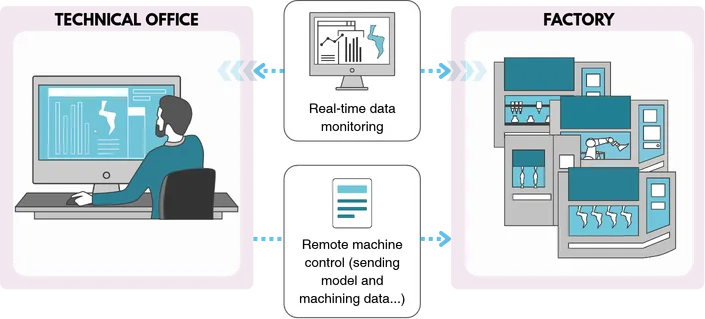
For example, copying the model file to be turned, setting the processing data, having the machine process the file and queue it, up to actually starting the machine in processing.
In essence, there are tools to manage and monitor work remotely in a bidirectional mode, the foundation of Industry 4.0.
MAKING A PROTOTYPE MODEL WITH TRADITIONAL MOD TECHNOLOGY AND SDF PRODUCTION FILE
ALL IN ONE .FRV
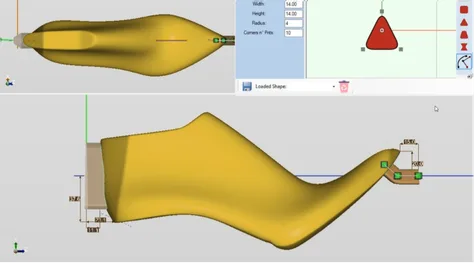
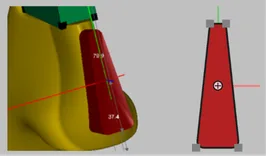
Single file for two processes: custom toe and heel supports used on traditional machines for model making can now be saved in the same file used for SDF production with top FC support.
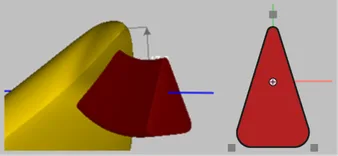
In the new Slim Setup Model, there is now the creation of custom shaped supports designed for manual toe and heel finishing mainly linked to last modelling.
This allows, for example for fine toes, to shape the support into a triangle while keeping the insole profile clearly visible for manual removal of the toe support.
UPGRADING YOUR MACHINE’S HARDWARE
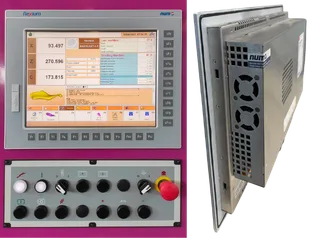
Next-generation hardware meets the stability of Windows 10. A simple, secure upgrade backed by a warranty and immediate support, tailored to your IT needs.
ALL THE BENEFITS
- Replacement of the monitor and internal PC with new components
- 12-month warranty on the hardware of the new PC and the monitor
- Implementation of the Windows 10 operating system
- Easier integration with the company’s IT systems

For WINDOWS XP or WINDOWS 8.1 operating systems
STILL RUNNING WINDOWS XP OR WINDOWS 8.1 ON YOUR MACHINE?
You can upgrade to Windows 10 directly on your existing machine. We replace the internal PC and the monitor with next-generation components, ensuring greater efficiency, maximum security and seamless integration with your company network.
* To access the new features of the HS+ EVOLUTION KIT system, a hardware upgrade is required.
WINDOWS XP – WINDOWS 8.1
WINDOWS 10